
By EIV Diagnostics · September 30, 2026
Hit 95% Concordance: Telepathology Workflow for Labs and Lab Managers
Workflow-first telepathology for labs and lab managers: stepwise validation, CAP/CMS guardrails, integration and evidence-backed steps to target >95%...
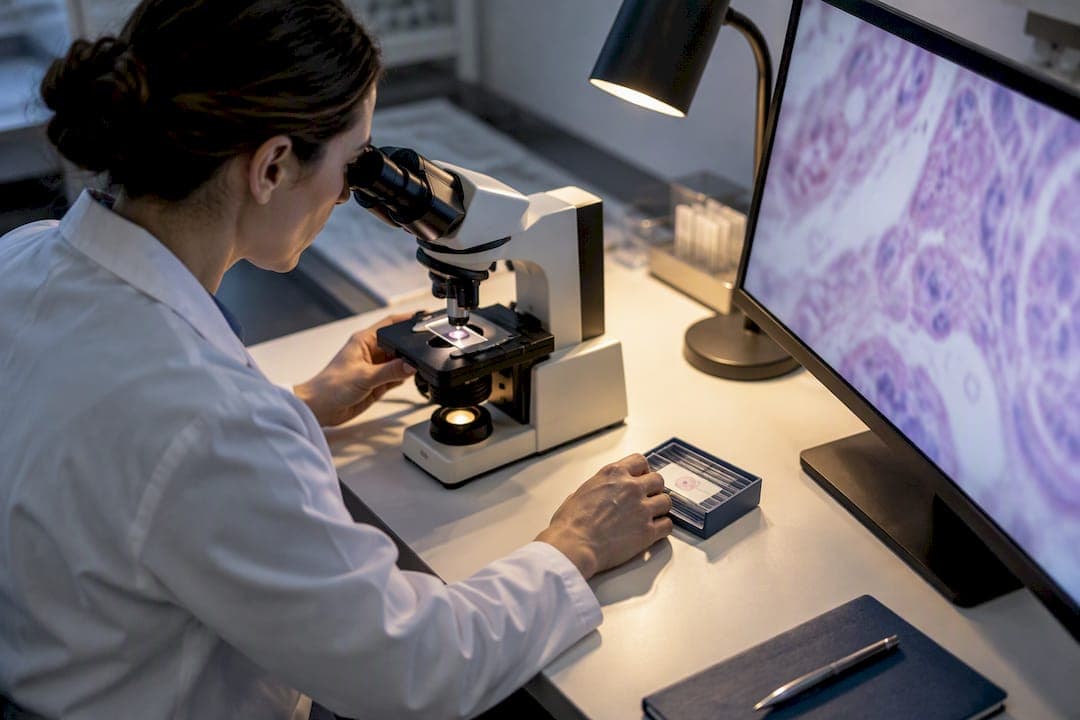
A telepathology workflow moves a case from specimen preparation through scanning, upload, remote assignment, pathologist review and final reporting, replacing or supplementing glass slide review with digital images. Done right, it shortens consult turnaround and puts subspecialty expertise within reach of remote sites, but it only works safely when labs follow CAP validation guidance and CMS/CLIA rules for remote review. EIV Diagnostics has applied that same discipline in its own digital pathology validation work.
TL;DR:
- Validation protocols should aim for at least 95% concordance between digital and glass slide diagnoses before routine use.
- Real-time systems are preferred for intraoperative frozen sections due to their control and speed, while whole slide imaging suits primary diagnosis and archiving.
- Workflow integrity depends on strict adherence to case checkpoints, especially post-scan quality control, to prevent mismatched or unreadable images.
- Validation and remote review require secure infrastructure, proper integration with LIS/EHR, and staff training on equipment and QC procedures.
- EIV Diagnostics provides validation support and digital pathology services to facilitate telepathology implementation and pilot projects.
Table of Contents
- Mapping the case flow from specimen to signed report
- Choosing the right telepathology system for your use case
- Setting validation and regulatory guardrails before go-live
- Meeting the technical and IT requirements behind the workflow
- Defining roles and training for a sustainable program
- Weighing the operational evidence and known limitations
- Moving from pilot to validated production use
- What we have learned running telepathology validations
- Where EIV Diagnostics fits into your telepathology plan
- Where to go for validation templates and regulatory detail
- Sources
- FAQ
Mapping the case flow from specimen to signed report
A telepathology case moves through a defined sequence, and skipping a checkpoint anywhere in that chain is where most quality problems start.
- Pre-analytic prep: confirm requisition accuracy, slide labeling and tissue quality before scanning begins.
- Scanning: run prescan checks, set magnification and focus parameters, and handle fragile or frozen sections with extra care since they scan less predictably than fixed tissue.
- Post-scan QC: verify image focus and completeness, then match barcodes and accession numbers against the case record.
- Upload and routing: send verified images into the image management system (IMS) and assign cases based on subspecialty or coverage rules.
- Notification: alert the reviewing pathologist and log who owns the case at each stage for accountability.
- Remote review and sign-out: the pathologist reviews digital slides and finalizes the diagnosis, with the report flowing back through the LIS or EHR.
- Distribution and retention: the signed report reaches the ordering provider, and images and records are retained per lab policy.
Published implementation work on teleconsultation workflows stresses documented procedures for case initiation, scanning, upload, and both pre- and post-scan quality checks to preserve diagnostic integrity. Skipping the post-scan QC step is a common shortcut that later shows up as mismatched cases or unreadable regions during review.
Choosing the right telepathology system for your use case
Telepathology systems fall into four broad categories, and matching the type to the clinical scenario matters more than picking the most advanced option available.
- Static (store-and-forward): still images captured and sent for asynchronous review, suited to low-urgency consults.
- Live/dynamic: real-time remote control of a microscope or robotic stage, useful when a pathologist needs to direct the view.
- Whole slide imaging (WSI): full digital scans that support primary diagnosis, archiving and AI-ready datasets.
- Hybrid: combines live control with WSI capture for flexibility across case types.
For intraoperative frozen sections, many centers favor live-view or hybrid systems because they let the remote pathologist control focus and navigation in real time, which matters when a diagnosis has to come back before the surgeon closes. WSI tends to win out for primary diagnosis, archiving and building datasets for future AI applications, though it demands more storage and a stronger scanning pipeline. Cost and integration effort scale with capability, so a lab running mostly routine consults rarely needs the same infrastructure as a cancer center running same-day frozen sections.
Pro Tip: Match the system to your slowest, highest-stakes case type first. Frozen sections dictate the minimum bar; everything else is easier to accommodate afterward.
Setting validation and regulatory guardrails before go-live
Clinical use of telepathology depends on a validation protocol that proves digital review performs as well as glass, not just a working scanner.
CAP’s guideline update recommends laboratories validate WSI systems before diagnostic use and reports a weighted mean concordance near 95% across the studies behind that recommendation, a figure labs can use as a practical benchmark when setting their own concordance goals. A sound validation design includes representative case selection across specimen types, blinded comparison between glass and digital review, a clearly defined concordance threshold, and a documented process for handling discordant cases.

A validated telepathology system commonly targets concordance above 95% before it goes live for routine diagnostic use. That threshold gives labs a defensible standard to validate against rather than an arbitrary pass mark.
On the regulatory side, CMS/CLIA guidance permits remote review of digital images under the primary site’s CLIA certificate under certain conditions, but physical slide review at a remote location carries separate restrictions and can require its own CLIA certification. Ongoing QA after go-live should include routine scanning audits, proficiency testing considerations, and documentation that ties each validation decision back to a written SOP.
Meeting the technical and IT requirements behind the workflow
A telepathology workflow is only as reliable as the infrastructure underneath it, and gaps here surface as delays or, worse, misread cases.
- Scanners: throughput and z-stack settings need tuning for wet or frozen tissue, which scans less predictably than standard fixed sections.
- IMS integration: the image management system needs API connections into the LIS or EHR, and case-launch links that preserve patient context reduce the risk of mismatched cases.
- Storage: WSI files are large, so retention policy and backup strategy need to be set before volume grows, not after.
- Display and network: remote workstations for sign-out generally need at least a 1920x1080 display, a screen size around 13 inches or larger, and dependable bandwidth to avoid downtime during review, per the Aperio LV1 validation study.
- Security: HIPAA-aligned access controls and encrypted transmission are baseline requirements for any remote review path.
Defining roles and training for a sustainable program
Telepathology only runs smoothly when every role is clearly assigned. The onsite primary user handles specimen loading and scanner operation, scanning technicians manage image capture and QC, pathologists perform remote review and sign-out, and IT supports the network, IMS and security layer.
Training should cover instrument operation, live-view controls where applicable, QC procedures and basic troubleshooting scripts for common failure points. Competency should be documented through operator logs and refreshed on a set schedule rather than left to informal review. Some programs apply lean process tools such as value stream mapping during the transition to spot inefficiencies before they become habits.

Weighing the operational evidence and known limitations
The strongest published evidence for telepathology’s operational upside comes from a Mount Sinai and Labcorp collaboration, where a digital consult workflow cut turnaround from 86 hours to roughly 35 minutes and produced a large jump in process efficiency after the team applied value stream mapping to remove nonvalue-added steps.
Implementation success depends as much on process redesign and staff training as on acquiring scanners.
Common limitations include slide preparation artifacts that show up more clearly under scanning than under a microscope, bandwidth constraints that slow remote review, and a learning curve for operators new to live-view controls. The Aperio LV1 validation for intraoperative frozen sections addressed these by pairing operator training with defined workstation specifications before granting sign-off. EIV Diagnostics has applied a comparable validation approach in its own telepathology work for clinics.
Moving from pilot to validated production use
A staged rollout keeps risk manageable and gives labs real data before committing fully.
- Pre-launch: run a needs assessment, align stakeholders, confirm CLIA coverage, and finalize vendor and infrastructure choices.
- Validation: define sample size and concordance thresholds, train staff, and document SOPs.
- Pilot and go-live: run digital review in parallel with glass slides, track key metrics, and expand in stages.
- Post-launch: schedule ongoing QA, review incidents, and refine the process continuously.
Pro Tip: Keep the parallel glass-and-digital run going a few weeks longer than feels necessary. That overlap is where most discordant-case lessons surface.
What we have learned running telepathology validations
Digital pathology, validation support and mobile phlebotomy sit at the center of how EIV Diagnostics approaches remote pathology work. The recurring pitfalls we see are underestimated training time, inconsistent QC habits, and operators who learn the controls only after go-live rather than before. Readers building their own plan can review our 7-step implementation and validation series and our notes on reducing scanning artifacts during slide prep.
— EIV Diagnostics
Where EIV Diagnostics fits into your telepathology plan
If your lab is weighing a telepathology pilot, EIV Diagnostics offers direct paths into the validation and diagnostic work involved, without requiring a long-term contract to get started.
- Digital Pathology: validation support and digital slide services for labs planning a transition.
- Mobile Phlebotomy: specimen collection from $65 one-off for distributed or pilot-stage programs.
- Molecular Pathology and Dermatopathology: complementary diagnostic services for complex cases that surface during digital review.
Reach out through our digital pathology services page to talk through a pilot or validation project with our team.
Where to go for validation templates and regulatory detail
For deeper detail, consult the CAP WSI validation guideline, the CMS/CLIA memo on remote review, and the Mount Sinai and Labcorp implementation study for concordance protocols and turnaround metrics. Broader process-improvement thinking, including value stream mapping, is covered in this clinical logistics workflow guide.
This article is general information, not a substitute for advice from a qualified doctor. Consult a qualified healthcare professional about your own circumstances before acting on anything here.
Sources
- Whole Slide Imaging for Teleconsultation: The Mount Sinai Hospital, Labcorp Dianon, and Philips Collaborative Experience
- Whole Slide Imaging for Teleconsultation (Mount Sinai/Philips collaborative experience) - PMC
- Validating Whole Slide Imaging for Diagnostic Purposes in Pathology - CAP
- QSO-23-15-CLIA revised - CMS
FAQ
What are the main steps in a telepathology workflow?
The core steps are case preparation, scanning, post-scan quality checks, upload into an image management system, remote assignment, pathologist review, and final report distribution. Each step needs a documented procedure to preserve diagnostic integrity.
What concordance rate should a validated WSI system achieve?
CAP’s guideline reports a weighted mean concordance near 95% across the studies behind its recommendation, which labs commonly use as their own validation target. Labs should set their threshold before testing begins and document how discordant cases get handled.
Can pathologists review digital slides remotely under CLIA?
CMS guidance permits remote review of digital images under the primary site’s CLIA certificate under certain conditions, though physical slide review at a remote site carries separate restrictions. Check the CMS/CLIA memo for the exact scope that applies to your setup.
Which system type works best for frozen sections?
Live-view or hybrid systems are generally preferred for intraoperative frozen sections because they let the remote pathologist control focus and navigation in real time. Static store-and-forward systems are better suited to lower-urgency consults where immediate feedback is not required.
Does EIV Diagnostics support telepathology validation projects?
EIV Diagnostics offers digital pathology services that include validation support for labs planning a telepathology transition. Details are available on our digital pathology services page.